Up next in 10


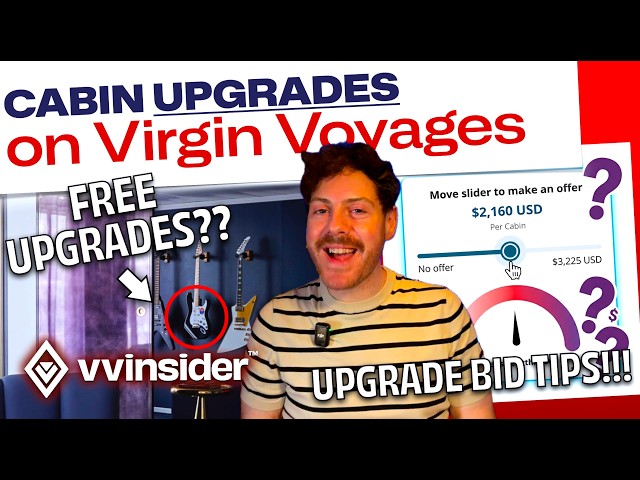
Thinking about upgrading your Virgin Voyages cabin without paying full price? 👀 Whether you booked an Insider deal and now fancy a Sea Terrace (hello red hammock 😍), or you’re eyeing a RockStar or Mega RockStar splurge, this video walks through the upgrade options step by step.
David from VV Insider explains how Virgin’s cabin hierarchy works, the “pay the difference” upgrade route, and how the upgrade bidding tool really works ✅ plus a simple tip that can sometimes lead to a free upgrade if the sailing is busy 🎟️
⚓ BOOK YOUR VIRGIN VOYAGE (extra perks + planning support)
https://vvinsider.com/book/
WHAT WE COVER 👇
🏷️ Cabin upgrade basics and the cabin hierarchy (what counts as an upgrade)
💳 Paying for an upgrade and what happens to promos
🎯 Upgrade bidding tool walkthrough (and the popup quirk!)
📈 Simple bidding strategy tips so you don’t overpay
⏰ When you’ll find out if you’ve won (and what to look for)
🎁 The “free upgrade” angle with Lock It In (GTY) rates (it’s luck, but it happens)
🔗 LINKS & RESOURCES (VV INSIDER)
🛏️ Upgrading your cabin guide (bidding, timing, pitfalls)
https://vvinsider.com/guides-and-faqs/guide/upgrading-your-cabin/
🔒 Lock It In Rates (GTY) explained (and how upgrades can happen)
Show More Show Less View Video Transcript
0:00
So, perhaps he's snagged an insider rate
0:02
on a sale and are thinking you'd
0:04
actually quite like a sea terrace
0:05
balcony with one of those red iconic
0:07
hammocks. Or perhaps you're celebrating
0:09
something special and you want to try a
0:11
rockstar or a mega rockstar lifestyle
0:14
for a few nights. Well, don't panic.
0:16
Every single sailor can upgrade their
0:18
cabin. And in this guide, I'm going to
0:19
walk you through how you're able to do
0:21
this while not breaking the bank. And if
0:24
you stick around, I have a bonus tip
0:26
that has worked for us in the past where
0:27
you can snag a free upgrade. And it's
0:30
something anyone can do and I'll talk
0:32
you through exactly what you need to do.
0:34
If we haven't met before, my name is
0:36
David from VV Insider, which is a
0:38
website all about Virgin Voyages. Our
0:41
website helps millions of sailors around
0:43
the world find out what is going on on
0:46
board Virgin Voyages, including all the
0:48
incredible food at the restaurants, the
0:50
event lineups, and all of the details
0:52
you want to know about your cabin before
0:54
you sail, as well as much much more.
0:57
Well, we've built up an incredible
0:58
catalog of information about upgrading
1:01
your cabin. And today, we're going to
1:02
walk through it together to make sure
1:04
that we get it right. So, first things
1:06
first, what do we actually mean when we
1:08
mean to upgrade a cabin? Now, that might
1:10
sound like a very simple question, but
1:12
because there's 26 different varieties
1:15
of cabin type available on Virgin
1:18
Voyages, sometimes what seems like an
1:20
upgrade to some isn't an upgrade to
1:22
others. The first thing to know is the
1:24
hierarchy of cabins. So, at the very
1:26
bottom, you have the Insider cabins,
1:28
which of course speak for themself. They
1:30
have no windows or sea terraces, so
1:32
they're at the very bottom rung of the
1:34
cabin hierarchy. Moving up from that,
1:37
you have sea view cabins where you at
1:39
least get a window or a portal out into
1:41
the ocean. Then above that, you have the
1:43
most popular category, which of course
1:46
is the sea terrace category. Then after
1:48
that, you're in the rockstar
1:49
territories, starting off with the
1:51
rockstar quarters, and then finally, the
1:54
creme de la creme are the mega rockstar
1:56
suites. But where things get a little
1:58
bit more complicated is that each of
2:00
those categories that I've just
2:01
mentioned then have some subcategories.
2:04
I'm not going to list them all off here.
2:06
We have a page where we list off all of
2:08
these categories and you can read about
2:09
what each one of them offers. But just
2:11
know, each of these individual
2:13
categories have a number assigned to
2:15
them, which dictates the hierarchy that
2:18
they belong to. And if you're digging
2:20
into upgrading your cabin, you might
2:22
want to get familiar with the number
2:23
that's assigned to the cabin category
2:25
that you've booked. So, just as a quick
2:28
example here, let's say that I've booked
2:30
a limited sea terrace or a slightly
2:32
smaller sea terrace if I'm booked on
2:34
Brilliant Lady. Both of those cabin
2:36
types have a number assigned to them,
2:38
which is 18. If I was to look for an
2:40
upgrade for my cabin, I'd need to find a
2:42
category that had a number lower than
2:45
18. So, for example, if I wanted to
2:47
upgrade to the XL sea terrace, the XL
2:50
sea terrace is number 15, so I would be
2:52
able to upgrade. Whereas, if I was
2:54
looking at a sea view room, the sea view
2:56
cabin has 21 associated with it, so it's
3:00
a higher number, so I'm not able to
3:02
upgrade to that type. Like I say, this
3:04
can get a little confusing, so do head
3:06
over to our page at vvinsider.com, which
3:09
will list off all the categories, so
3:10
hopefully be a lot easier to understand.
3:13
So, the first way you're able to upgrade
3:15
on Virgin Voyages is the old-fashioned
3:17
way, and that is simply paying your way.
3:20
You can always upgrade your cabin up to
3:21
48 hours before your sailing by simply
3:24
getting in touch with your first mate or
3:27
contacting Sailor Services directly. If
3:29
you choose to do this, the price that
3:31
you'll pay for the upgrade depends on
3:33
how much your booking actually costs at
3:35
today's prices, and that is then
3:37
compared with what your upgraded room
3:40
would cost at today's prices as well.
3:43
So, the maths is fairly simple. Those
3:45
prices are deducted from one another and
3:47
you will pay the difference. Because of
3:49
pricing fluctuations, this actually
3:51
might mean that that's better value or
3:53
worse value than if you were to have
3:55
chosen that room on the day that you
3:57
actually booked your voyage, but the
3:58
price that you'll be offered is not
4:00
negotiable. Your first mate and Sailor
4:02
Services will not be able to affect how
4:04
much that price is. But if you're
4:06
willing to pay for the upgrade, you are
4:08
able to do that. Just keep in mind that
4:10
any promotions that you had on your
4:12
existing booking won't apply to the new
4:15
one. You'll be working with whatever
4:17
promotions are available at the time
4:18
that you upgrade. And again, because of
4:20
pricing fluctuations, those offers could
4:23
be better or worse than what you had on
4:25
your original booking. Now, when most
4:26
people talk about upgrades, we're
4:28
looking for a bargain for that upgrade.
4:30
Now, there's probably a reason that you
4:31
didn't choose that upgraded room when
4:33
you originally went through the checkout
4:35
process, and that's normally down to the
4:37
price. If you went for a lock it in room
4:39
or an insider or some other room that
4:42
meant that you were saving money, the
4:43
reality is that the price jump to that
4:45
cabin that you wanted is probably a fair
4:48
jump. Well, actually, there's a way
4:49
where you don't have to pay that
4:51
inflated price and you might actually be
4:53
able to snag a bargain. And that all
4:55
comes down to the upgrade bidding system
4:58
that Virgin Voyages allow you to
5:00
participate in. This is where you're
5:02
competing with other sailors on the same
5:04
voyage to upgrade your room using a
5:06
price that you're happy with. This
5:08
upgrade system is all done online and
5:11
we're going to walk through it together
5:12
to show you exactly how it works. So,
5:14
I'm starting off on the vvinsider.com
5:16
guide about upgrading your cabin. This
5:19
is where all the information you'll need
5:21
to know from today's video will be. If I
5:23
scroll down on this page, I'm going to
5:25
get to the part where we talk about the
5:27
upgrade bidding system. And there's a
5:29
link here which will take us directly to
5:31
the upgrade bidding tool. So, I'm going
5:33
to click on that link and you'll end up
5:35
seeing a page like this on the Virgin
5:37
Voyages website. You're going to scroll
5:39
down to the section where you can put
5:41
your booking reference and your surname
5:43
in. Now, here's a really important
5:45
point. When you're on this system, when
5:47
you click the big red let's check now
5:50
button, you might see that nothing
5:52
happen. Well, actually, this is a little
5:54
quirk of the Virgin Voyages website. You
5:56
need to check that you're allowing
5:58
pop-up windows. You won't be able to
6:00
enter the upgrade system unless you
6:03
allow these pop-up windows. But if the
6:05
word pop-up makes you anxious, don't
6:07
worry. This is the Virgin Voyages
6:08
website and it is totally legitimate.
6:11
We've used the system multiple times in
6:13
the past. When you finally figure out
6:15
how to allow pop-ups, you'll then be
6:16
presented with this screen here, which
6:19
will give you your information about
6:20
your current booking. So, as you can see
6:23
in this example, we have an Insider
6:26
cabin already booked for our sailing.
6:28
And it's here I'm presented with
6:30
different options for my upgrade. One
6:32
thing you'll notice in our scenario
6:34
here, because we are in an Insider
6:36
cabin, we're only able to go five levels
6:39
up from where we currently are. So, as
6:42
you can see on this reference guide on
6:44
vvinsider.com,
6:46
and if we ignore the lock it in rate and
6:48
the solo cabins, five stages up from the
6:51
Insider would be the XL sea terrace. So,
6:54
I'm going to expect to see the sea view,
6:56
limited view sea terrace, the sea
6:58
terrace, central sea terrace, and XL sea
7:01
terrace listed here. So, if I go back to
7:03
the upgrade screen, I see exactly that.
7:06
The top level upgrade that I can get is
7:09
an XL sea terrace. That's important to
7:11
know, especially in this scenario where
7:13
we have an Insider cabin, is that I'm
7:15
not able to bid to upgrade to a rockstar
7:18
suite because that would be six levels
7:20
above where I am currently. So, just
7:22
keep that in mind. If you're planning to
7:24
bid on an upgrade and you're looking for
7:26
a rockstar suite, you can't do it from
7:29
an Insider, so make sure you book at
7:31
least a sea view if you're looking to go
7:33
into the rockstar territory. But if
7:35
you're lucky enough to see the rockstar
7:37
suites listed here, the same rules as
7:39
I'm just about to explain apply to the
7:41
rockstar and the mega rockstar suites.
7:44
And just a note to say, if you are
7:45
successful in upgrading to a rockstar or
7:48
a mega rockstar suite, you do get all
7:50
the perks that you would get with a
7:52
rockstar mega rockstar suite. It's not
7:54
just the cabin that you're upgrading
7:55
here, you're upgrading your full
7:57
experience. But let's look back to our
8:00
example here. So, I am able to bid on
8:02
the sea terrace and the sea view cabins
8:04
you see listed here. So, how exactly do
8:06
I do that? Well, you can see here there
8:09
is a slider, which represents how much
8:11
I'm willing to pay extra on top of my
8:14
current booking to snag this cabin. In
8:17
order to make a bid, I can slide this
8:19
controller back and forth until I reach
8:22
a point that I'm happy with. And you'll
8:24
also notice as I'm doing that, there is
8:26
a gauge on the side which will tell me
8:28
how strong my offer is. So, as an
8:31
example here, halfway through the gauge,
8:34
if I want to upgrade from my Insider to
8:36
a XL sea terrace on this 7-night voyage,
8:39
it's coming out as around about $2,160.
8:44
And this is a price for the whole cabin
8:46
itself, not per sailor. Now, here you
8:49
can use your own judgment. You can bid
8:51
for as much as you feel comfortable
8:53
with. Just know that if this bid is
8:55
successful, the full amount will be
8:57
charged to your card. That is to say,
8:59
it's not like eBay where you would pay
9:02
however much the previous bid was, you
9:04
will pay your bid amount. And that of
9:07
course is only if it's successful. The
9:09
good thing here is that you can have a
9:10
play around and also bid on different
9:13
cabin categories. I don't need to
9:15
restrict myself in just bidding for the
9:17
XL sea terrace. I might want to try my
9:19
hand at bidding for a central sea
9:20
terrace as well. So, in that case, I'll
9:22
scroll down and I'll set a new price
9:25
that I'm happy to pay for the central
9:27
sea terrace. And the idea here is that
9:29
you would go down this whole list and
9:31
fill out exactly what you would pay for
9:33
each cabin type. It's really difficult
9:35
for us to say how much you should
9:36
comfortably bid for each cabin to feel
9:39
like you've got a better success rate
9:41
because really, it just depends on how
9:43
much other people are bidding on your
9:46
same voyage. We've definitely seen
9:48
experiences of people winning these bids
9:50
at the very lowest price possible, but
9:53
that might just simply mean that nobody
9:55
else was bidding. Very possible that the
9:56
cabin type that you're going after is
9:59
very popular indeed, so you might need
10:01
to just nudge it along a little bit. One
10:03
pro tip here is if you're finding it
10:05
difficult to choose an exact amount
10:06
using the slider, it's not very
10:08
intuitive, you can actually zoom in your
10:11
text size and it'll make the slider a
10:13
little bit bigger. So, here's an
10:15
example. So, as you can see, I've
10:17
increased the font size on my browser
10:19
and now I get a much more fine-grained
10:21
control of how much I'd like to bid for
10:24
the cabin. So, this is really helpful if
10:26
you're just on the edge of exactly how
10:28
much you would actually like to put in,
10:30
you might want to zoom in a little bit
10:31
and just get it a little bit more
10:33
accurate. Once you're happy with all of
10:34
the adjustments that you've made and all
10:36
of the bids that you've put in, you can
10:37
click review and pay. When you're
10:39
paying, you'll be asked for a credit
10:41
card for that upgrade amount. So, this
10:44
isn't going to come out of your payment
10:45
method or your future voyage credit that
10:47
you already have, this will be a new
10:50
credit card transaction, so you'll need
10:52
to put your credit card details in there
10:54
and of course, make sure you have an
10:56
available balance for how much you're
10:57
bidding. So, the next question is when
10:59
will you find out whether you've been
11:01
successful or not. The best tip I can
11:03
give you is just to keep an eye on your
11:05
credit transactions at that time. We've
11:07
often seen people who've been successful
11:09
with a bid see their credit card company
11:11
has charged them for the bid amount well
11:14
before Virgin Voyages get in touch to
11:16
let them know that the upgrade has been
11:18
successful. So, if you've got your
11:20
credit card app on your phone, for
11:21
example, you might see a notification
11:24
come through to say that you've been
11:25
charged and that generally is good news.
11:28
You will of course need to wait for the
11:29
full email from Virgin Voyages before
11:31
it's completely set in stone. Credit
11:33
card transactions can be refunded after
11:35
all. But once you've got that
11:36
confirmation through, you're all set.
11:39
Your new cabin number will be assigned
11:40
to you and if you're a Rockstar or a
11:42
Mega Rockstar at that point, you can
11:44
then get in touch with Red Glove
11:46
Services to let them know your voyage
11:48
preferences and if you're a Mega
11:50
Rockstar, you might want to be quick to
11:52
organize your private transfer services
11:54
as well. Now on to what I promised I'd
11:56
tell you about, which is how to snag a
11:59
free upgrade. Well, I'm not going to sit
12:01
here and tell you to tell Sailor
12:02
Services that it's your very special
12:04
birthday or your anniversary, that's
12:07
never going to work. Actually, there's a
12:09
much more legitimate way of being able
12:11
to snag a free upgrade, but it's all
12:14
down to chance. And this comes down to
12:16
the lock it in rate and some little
12:18
quirks that booking a lock it in rate
12:20
might have. So, lock it in rate are what
12:22
Virgin Voyages call a guaranteed or a
12:25
GTY cabin reservation, which means that
12:28
you're guaranteed the cabin type that
12:30
you've booked, but nothing less. So, as
12:33
an example, you might have booked a Sea
12:35
Terrace lock it in rate, which means
12:37
that you're guaranteed to be in a Sea
12:39
Terrace at least. And the reason I say
12:41
at least is cuz you could get the lowest
12:44
rung Sea Terrace possible, which is a
12:46
limited view Sea Terrace or if you're on
12:48
Brilliant Lady, it would be the slightly
12:50
smaller Sea Terrace. But this is where
12:52
that potential free upgrade might come
12:54
from. Let's say you're on one of those
12:56
busier sailings where all of those
12:57
limited Sea Terrace cabins have
12:59
completely sold out. Well, where are
13:01
they going to put you now? They're going
13:03
to have to go a level up because like I
13:05
say, they can't give you anything less.
13:08
And if we refer back to my chart of the
13:10
hierarchy of the cabins, that means that
13:12
they can give you any cabin that is
13:14
above a limited Sea Terrace. This of
13:16
course will go in order of how busy each
13:19
of these cabin categories are, so you
13:21
could end up with a Sea Terrace or a
13:22
Central Sea Terrace or even an XL Sea
13:25
Terrace depending on how busy each of
13:28
those cabin categories are. And this
13:30
works for every single one of the
13:32
categories. So, for example, we were on
13:34
a sailing in Portsmouth, we had booked a
13:37
Mega Rockstar lock it in rate and we
13:39
found such a great deal on it that we
13:41
told our friends about it, too. So, they
13:43
also booked a Mega Rockstar lock it in
13:45
rate. Well, actually, when our cabin
13:47
assignments came out just a couple of
13:49
days before the sailing, we all
13:51
discovered that we had been given
13:52
different suites. We had been assigned a
13:55
Gorgeous Suite, which is the lowest of
13:57
the Mega Rockstar Suites, but I'm
13:59
certainly not complaining, it was
14:00
absolutely amazing. Two of our friends
14:03
that also had booked this Mega Rockstar
14:05
lock it in rate had been given Posh
14:07
Suites. And if you've ever been in a
14:09
Posh Suite, they are absolutely
14:11
incredible and hugely luxurious. There
14:14
is a second living area and really,
14:16
really great for entertaining and
14:18
in-suite parties. And this was all
14:20
because they'd booked that lock it in
14:22
rate. The price difference between the
14:24
lock it in rate and if they'd just
14:26
chosen one of these Posh Suites right
14:28
from the off was many, many thousands of
14:31
pounds. So, when I say that free upgrade
14:33
is possible, it is certainly possible
14:35
and we've seen it happen ourselves. And
14:37
personally for us, we've booked a lock
14:39
it in inside a rate and be given a Sea
14:41
Terrace before. And personally for us,
14:43
we book lock it in rates all the time
14:45
because we are cost-conscious when we
14:47
sail, but we've been lucky enough in the
14:49
past to be given a Sea Terrace just from
14:51
the luck of the draw. So, remember, this
14:53
isn't really a guarantee, but there is a
14:55
chance that you might snag a free
14:57
upgrade simply by happenstance. But just
15:00
to recap, there is a guaranteed way to
15:02
upgrade your cabin and that is just to
15:04
pay the extra by getting in touch with
15:06
your First Mate or Sailor Services. And
15:08
there is also a way to get an upgrade
15:11
for less money by using the upgrade
15:13
bidding system using the guide that
15:15
we've just went through today. I hope
15:17
you found that guide to upgrading your
15:19
Virgin Voyage cabin useful. If you did
15:21
and you'd like to support the work that
15:23
we do here at VV Insider, the best way
15:25
to do that is to connect your next
15:27
Virgin Voyages booking to us by going to
15:30
vvinsider.com/book.
15:32
There are some exclusive perks that
15:33
you'll get for doing just that and we
15:35
also have some exclusive extra Sailor
15:38
Loot deals as well. If you think it's
15:40
too late cuz you've already made a
15:42
booking, don't worry, there is a way to
15:44
connect existing bookings to us here at
15:46
VV Insider. If you go to that page,
15:48
there's also some information on
15:50
transferring your existing booking to us
15:52
as well. Well, thank you so much for
15:54
sticking with me on this guide. We'll be
15:56
back next week with a Virgin Voyages
15:58
Insider update. Can't wait to see you
16:00
next Saturday. If you want to get
16:02
alerted about that new video, make sure
16:04
you subscribe to the channel. But until
16:06
I see you next time, happy sailing.
16:09
>> [music]
16:15
[music]
#Travel & Transportation